
Array Methods You Must Know

There are various methods that comes along with the array object. There are some methds which mutates or changes the original array, and some do not.
Array Manipulation Methods
push() and pop()
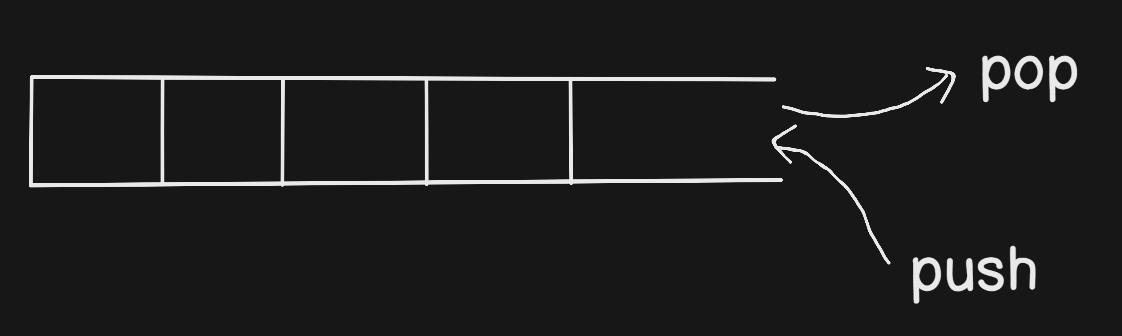
- push : It is used to add element from the last. It mutates the original array.
const num = [1, 2, 3];
num.push(4);
console.log(num); //num = [1, 2, 3, 4]
2. pop : It is used to remove element from the last. It mutates the original array.
const num = [1, 2, 3, 4];
num.pop();
console.log(num); //[1, 2, 3]
shift() and unshift()
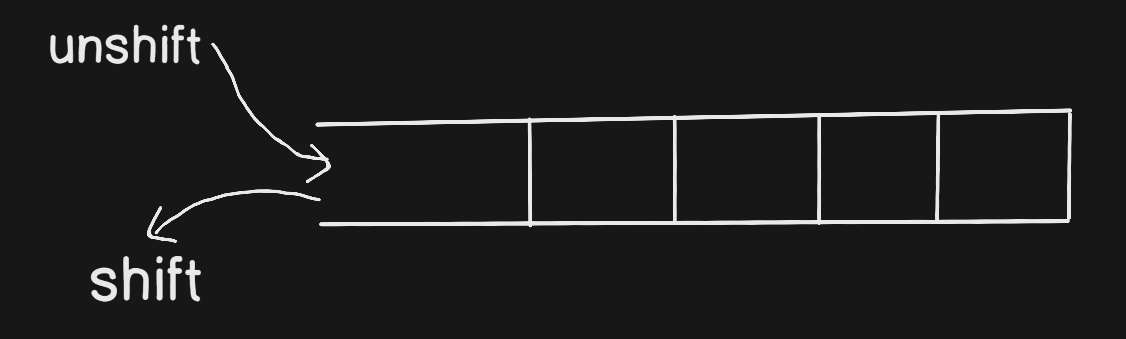
Trick to remember shift and unshift :
shift ---> shifting out from the list (deleting)
unshift ----> opposite of shift (adding)
shift : It is used to remove the first element of the array. It mutates the original array.
unshift : It is used to add elements at the beginning of the array. It mutates the original array.
const num = [1,2,3,4];

//adding 0 to the start - shift
num.unshift(0);
console.log(num);

//removing first element - unshift
num.shift();
console.log(num);
Iterative Methods
forEach()
It is an higher order function which loops over all the elements of the array one by one and calls our callback for each element.
It do not mutates the original array.
It takes callback function as argument.
It returns undefined.
forEach()expects a synchronous function — it does not wait for promises.There is no way to stop or break a
forEach()loop other than by throwing an exception.
let order = ['milk', 'burger', 'pizza', 'coke'];

order.forEach(item => console.log(item));
map()
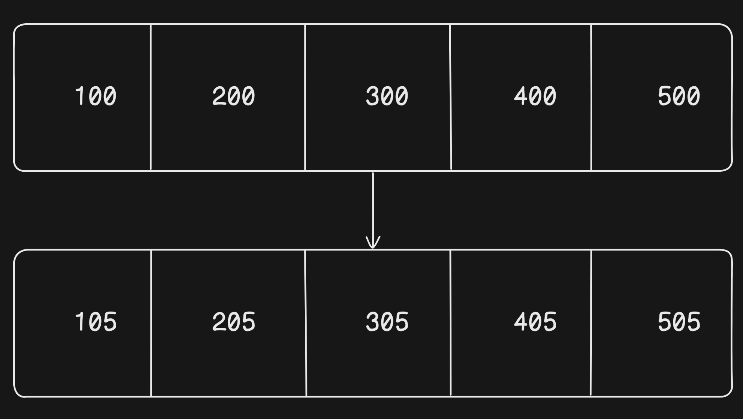
It is a higher order function which is used to transform the array elements. It loop over all the elements of the array one by one and calls our callback function with that element, and pushes the return value from our callback function to the new array.
It do not mutates the original array.
It takes callback as argument.
It returns new array.
Example - I want to add 5 rupees tax to each amount in the array.
let bills = [100, 200, 300, 400];

let taxedBills = bills.map(bill => bill + 5);

console.log(taxedBills );
filter()
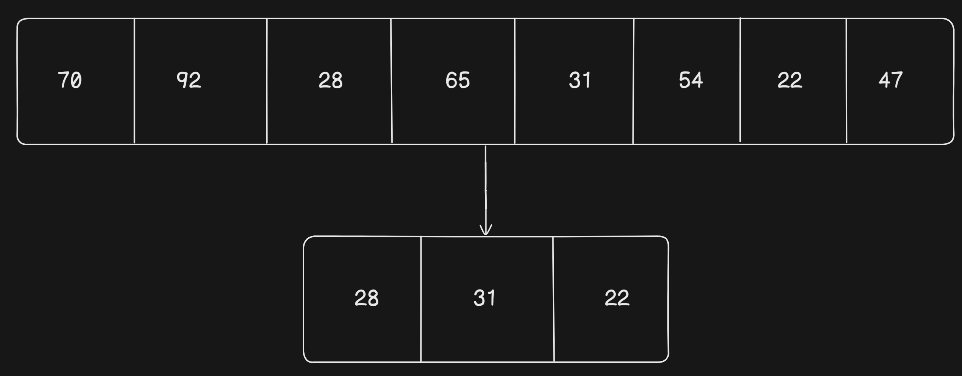
It is a higher order function which is used to filter out the elements from the array. It loop over all the elements of the array and calls our callback function with that element and if the return value of our callback is true, then it pushes the element in the new array otherwise rejects.
It takes callback as an argument
It always returns an array
Example - I want to filter out those students whose percentage is less than 33.
const students = [
  { name: "Aman", percentage: 78 },
  { name: "Riya", percentage: 92 },
  { name: "Karan", percentage: 28 }, // fail
  { name: "Neha", percentage: 65 },
  { name: "Rohit", percentage: 31 }, // fail
  { name: "Priya", percentage: 54 },
  { name: "Arjun", percentage: 22 }, // fail
  { name: "Sneha", percentage: 47 }
];

const failedStudents = students.filter(student => {
    return student.percentage < 33;
})

//one liner
//const failedStudents = students.filter(student => student.percentage < 33);

console.log(failedStudents);
reduce()
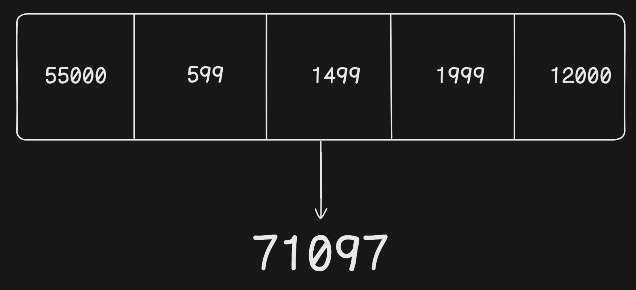
It is a higher order function which is used to reduce whole array into a single value. It loop over all the elements and call our callback one by one for each element.
Syntax
[].reduce((previous, current) => {
    //body
    //return statement
}, initialValue)
previous - previous iteration callback return value
current - It is a current element value
initialValue - It is used as the initial value for the very first time. It can be of any datatype like number, string, object, array etc.
Initial Iteration
When the reduce calls our callback for the very first time, then it call with the initial value passed as argument and first element of the array.
Further Iterations
When the reduce calls our callback after first time, it calls with the previous callback returned value and the next element of the array and so on.
Example
I need to calculate the total amount of the items in the cart.
const cartItems = [
  { name: "Laptop", price: 55000 },
  { name: "Mouse", price: 599 },
  { name: "Keyboard", price: 1499 },
  { name: "Headphones", price: 1999 },
  { name: "Monitor", price: 12000 }
];

const total = cartItems.reduce((previous, current) => {
    return previous + current.price;
}, 0);

//one liner
//const total = cartItems.reduce((previous, current.price) => previous + current, 0);

console.log(total);
Removing Element from array methods
Splice(startIndex, elementsCountToRemove) [Mutates original array]
Filter(callback) [Immutable method]
pop and shift [mutates original array] - It only removes first or last element.
Cloning an array
Shallow Copy
- spread operator
Deep copy
- structuredClone()


