
Async/Await in JavaScript: Writing Cleaner Asynchronous Code

Why async/await was introduced
async/await is just a cleaner way to write Promise-based code. It is a syntactical sugar on top of then, catch handling and nothing else which makes the asynchronous code looks like synchronous code.
There are 3 ways to handle async tasks :
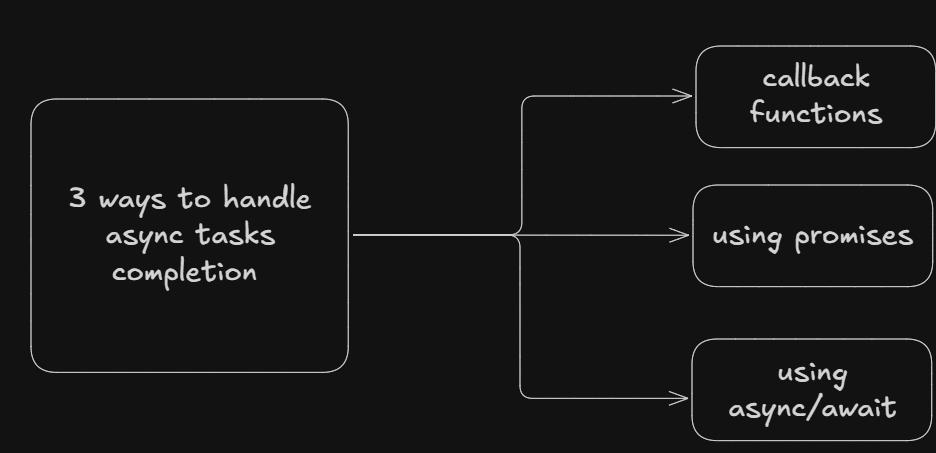
callbacks
Promises
async/await
Depending on how our async task is written, we use the respective methods.
For example :
Async operation is written inside a function which accepts a callback - (Callbacks will be used here)
Async operation is written inside a promise - (promises[then, catch, finally] or async-await will be used here)
Comparison with promises
Below is the promise handling using then, catch and async/await.
function hitAPI() {
    return new Promise((resolve, reject) => {
        setTimeout(() => {
            console.log('API data fetched');
            const response = true;
            if(response) resolve('data');
            else reject('error');
        }, 2000);
    })
}

function readFile() {
return new Promise((resolve, reject) => {
    setTimeout(() => {
        console.log('File Read success');
        const response = true;
        if(response) resolve('data');
        else reject('error');
    }, 2000);
})
}

function saveInDb() {
    return new Promise((resolve,reject)=>{
        setTimeout(() => {
            console.log('saved in db');
            const response = true;
            if(response) resolve('data')
            else reject('error');
        }, 2000);
    })
}

//----------Using then, catch------------------
hitAPI()
.then((data) => readFile())
.then((data) => saveInDb())
.then((data) => console.log('Data saved in db'))
.catch((error) => console.log(error))

//---------------------Using async-await---------------------
;(async () => {
    try{
        const apiResp = await hitAPI();
        const fileResp = await readFile();
        const dbResp = await saveInDb();
        console.log('Data saved in db')
    }catch(error){
        console.log(error)
    }
})();
What does async function means
Async function always returns a promise even if we return a literal value.
async function greet(){
    return 'Hi'; // a resolved promise will be returned here with the value Hi
}

greet().then(console.log)
Await keyword concept
await keyword only works inside async function. await keyword waits for the promise to settle to either resolved or rejected.
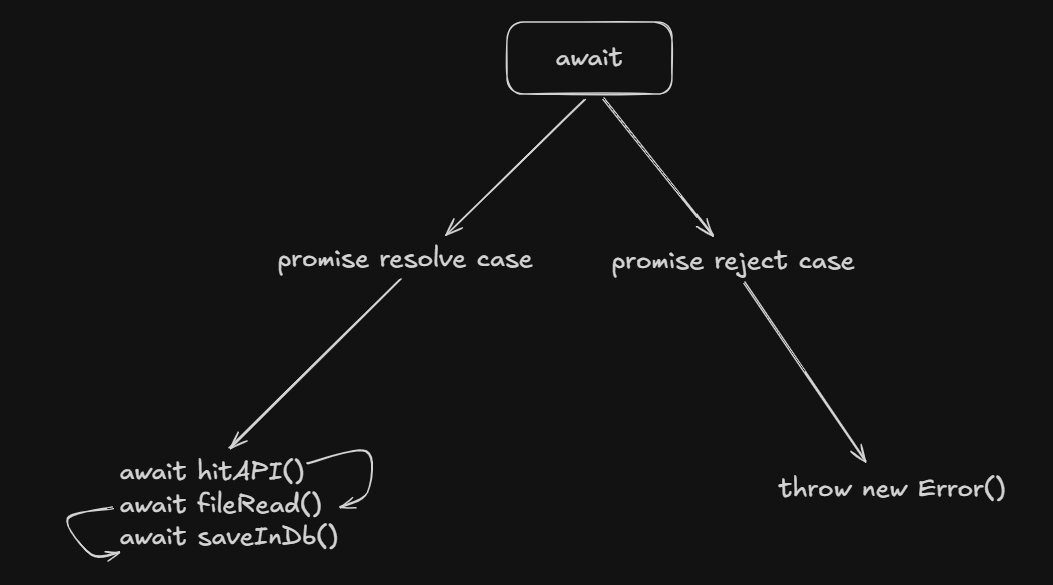
What happens when awaited promise is resolved
resolved value is returned
control goes to next line
What happens when awaited promise is rejected
- error is thrown with the rejected value
Error handling with async/await
When the promise is rejected then the error is thrown and that error needs to be handled gracefully otherwise our application can crash.
When error is thrown inside try block, then the error goes inside catch block to handle it.
;(async () => {
    try{
        const apiResp = await hitAPI();
        const fileResp = await readFile();
        const dbResp = await saveInDb();
        console.log('Data saved in db')
    }catch(error){
        console.log(error)
    }
})();
Important pointers for async-await
asyncfunctions always return a Promiseawaitgives the resolved value of a Promiseawaitcan only be used inside anasyncfunctiontry/catchhandles rejected PromisesUse
Promise.all()for independent tasksIf you forget
await, you will get a Promise object instead of the actual value
Await does not stop the whole Javascript Execution
Await only stops the async function execution meanwhile rest of the code still executes.
async function demo() {
  console.log("A");

  await new Promise((resolve) => {
    setTimeout(resolve, 2000);
  });

  console.log("B");
}

console.log("Start");
demo();
console.log("End");

/*----OUTPUT------
Start
A
End
B
*/
Important querkyness
- Async function always returns a promise
async function test() {
  return 5;
}
- throw becomes rejected promise
async function hi(){
    throw new Error() // this will be returned as a rejected promise
}

try {
    await hi(); // rejected promise
} catch (err) {
    console.log(err);
}

hit().catch(error) {
    console.log(error.message)
}
awaitonly pauses INSIDE the function
console.log("1");

async function test() {
  await Promise.resolve();
  console.log("2");
}

test();

console.log("3");


