
Error Handling in JavaScript: Try, Catch, Finally

What is an error
An error is a problem or mistake that breaks the execution flow of our program.
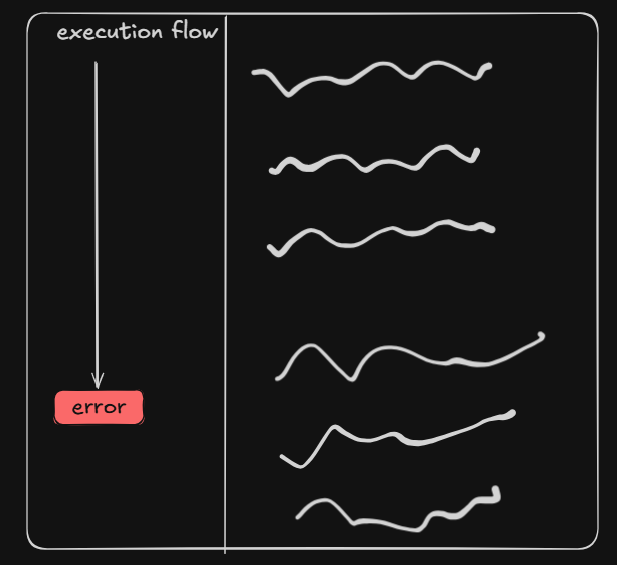
Types of Errors
- Syntax errors - It is code syntax mistakes in the code. The program will not compile or run until these errors are fixed, and an Integrated Development Environment (IDE) generally highlight them immediately with an error message.
console.log('Hi' //Error
- Logical errors - A logic error happens when your code runs perfectly without crashing, but the result is wrong because the "logic" behind the instructions is wrong.
const score1 = 80
const score2 = 90

//Wrong logic: Division happens before addition because of precedence (PEMDAS)

average = score1 + score2 / 2
- Runtime errors - These errors occur while the program is executing, even if the syntax is valid. Ex - Db Call failed, User entered 0 as divisor.
Error Classes
Every error is a class in Javascript. Error is the root class and every other class inherit this Error class.
Error
├── SyntaxError
├── ReferenceError
├── TypeError
├── RangeError
├── URIError
├── EvalError
├── AggregateError
Why Error is thrown
It gives signal to JS that something has gone wrong and normal execution cannot continue safely.
throw keyword
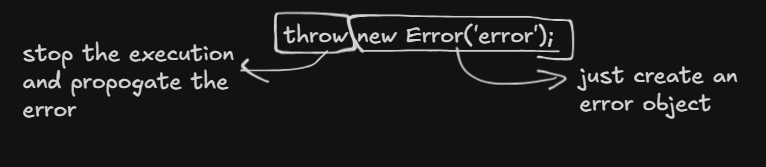
Throw is a control flow mechanism that interrupts execution and transfers control to the nearest error handler.
It tells the JS engine to stop the further execution and propagate the error.
Error Propagation
Whenever error is thrown, it finds nearest try catch block which can handle it and If not found then the error is passed in the parent function until it is handled. This is called error propagation.
Lets try to understand with Gun and Pistol analogy :
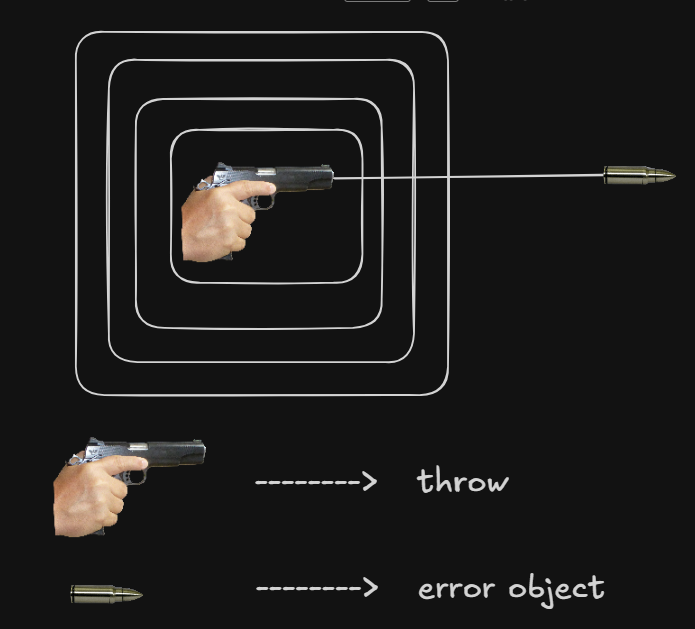
When we throw some error, throw acts like a bullet gun and pistol is like an error object.
If the bullet is somehow stopped at any layer, then we can say error is handled.
Throwing custom Error
code example :
function one(){
    two();
}

function two(){
    three();
}

function three(){
    four();
}

function four(){
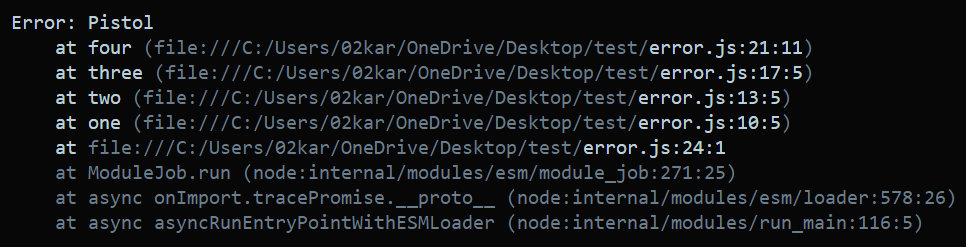
    throw new Error('Pistol'); // Firing Error
}

one()
OUTPUT
Why error handling matters
To gracefully handling the situation because unhandled errors crashes the application
Using try, catch and finally
try - Any code which can produce error is written inside try block. If error occurs, then it passes the error object to the catch block.
catch - If the error is thrown in try block , then the error object is passed to the catch argument for handling.
finally - It always executes either error occurs or not.
We can handle the error using try, catch and finally. But first let us take look at the analogy.
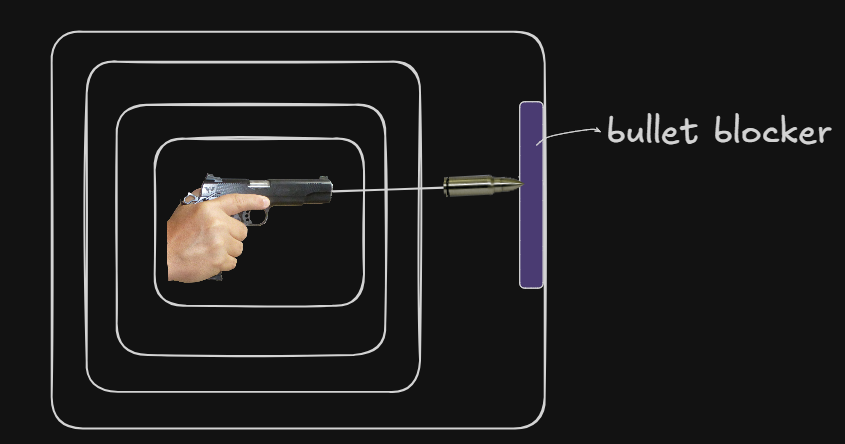
If we are able to stop the error at any level of propagation, then we can say error is handled just like bullet blocker stops the bullet at the last level.
Code Example :
function one(){
    try{
        two();
        console.log('two() called sucessfully');
    }catch(error){
        console.log(error.message);
    }finally{
        console.log('I always execute!');
    }
}

function two(){
    three();
}

function three(){
    four();
}

function four(){
    throw new Error('Pistol'); // Firing Error
}

one()
OUTPUT



