
JavaScript Modules: Import and Export Explained

What is Module
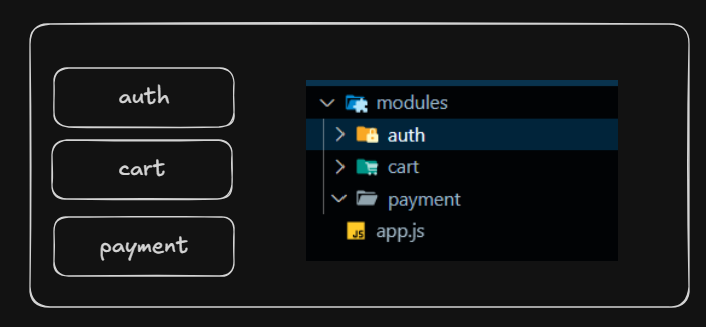
Module is a way to split your code into separate files so that each file has its own responsibility.
This makes code:
easier to read
easier to maintain
reusable
less messy
easier to debug
Analogy
Imagine one big room in a house where the kitchen, bathroom, bedroom, and reading area are all mixed together — it becomes messy and hard to use.

If you create separate rooms (kitchen, bedroom, reading room, bathroom) everything is organized and simpler to manage.

Why modules are needed
Separation of concerns.
You can export functionality from one file and import it in another.
Each module has its own private scope, so identical variable/function names can be reused in different modules without conflict.
Types of modules
ES Module (ESM)
This is supported in Browser and NodeJs. This is the mostly used type.
CommonJS (CJS)
Last letter of common is (n) which means this is only supported in nodejs.
This is only supported in NodeJs. This is the older syntax and not widely used.
Import and Export syntax in Common Js
Remember, Common Js only works in nodejs.
// math.cjs
exports.add = function(a, b) {
  return a + b;
};
module.exports.subtract = function(a, b) {
  return a - b;
};

// main.cjs
const { add, subtract } = require('./math.cjs');
console.log(add(2, 3)); // 5
Import and Export syntax in ES Module
There are two types of import and export in ES module:
Named - It allows to export multiple things from a file
Default - Only one default export per file
Named Export / Import
// math.js
export function add(a, b) {
  return a + b;
}
export function subtract(a, b) {
  return a - b;
}

// main.js
import { add, subtract } from './math.js';
console.log(add(2, 3)); // 5
Default Export / Import
// logger.js
export default function log(msg) {
  console.log(msg);
}

// main.js
import log from './logger.js';
log('Hello'); // Hello
Mixing Default and named export and imports
We can use default and named export in one file.
Mixed Export
// math.js
export const add = (a, b) => a + b;  //named export
export default function multiply(a, b) { return a * b; } //default export
Mixed Import
//app.js
import multiply, { add } from './math.js';
Using Alias names while importing
It is helpful while importing things with same name.
import {add as mathSum} from './math.js';
import {add as calculationSum} from './calculation.js';
Importing from node_modules
If the path is not relative (./math.js), neither absolute (https://cdn.jsdelivr.net/npm/lodash-es/lodash.js), then nodejs try to find it in the node_modules folder.
import express from 'express';
Important Pointers
Import should be the first line in the file
file extension is optional in commonjs
File extension is required in modulejs


